Plans in plain words.
Use dates, time ranges, and durations to give your next task a place in the day.
Deep work tmr 5pm to 7pm NextDue
A CHROME EXTENSION · COMING SOON
A Chrome extension popup that allows you to schedule with words.
Capture a deadline, plan your week, or set a reminder while you browse. Type your plan. Review the details. Keep moving.
Explore Quick AddNo NextDue account needed for local features.
FROM A THOUGHT TO A PLAN
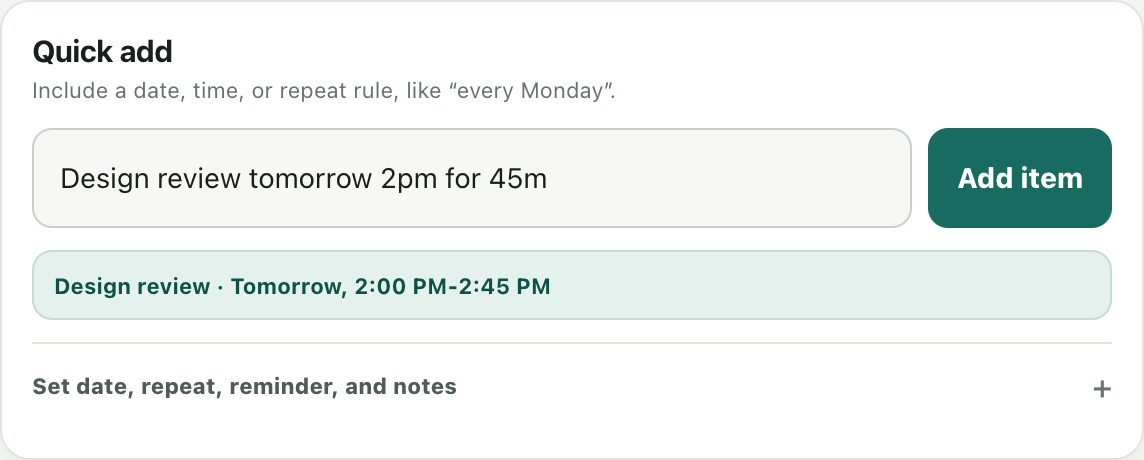
Actual NextDue interface · illustrative sample data
QUICK ADD
Start with a sentence, then check the date, time, and repeat preview before saving. Exact controls are there whenever you need them.
Use dates, time ranges, and durations to give your next task a place in the day.
Deep work tmr 5pm to 7pmPlan daily, weekly, monthly, or yearly commitments, including weekday patterns.
Stretch every day at 9amConvert supported time-zone suffixes in one-time English entries into your local time.
Demo tmr 5pm kstET follows Eastern daylight-saving rules; PST means fixed UTC−8. Repeating and localized entries use your browser’s local time zone.
MORE WAYS TO PUT IT
Quick Add recognizes supported scheduling phrases in 11 languages: English, Spanish, French, Portuguese, German, Chinese, Japanese, Korean, Russian, Arabic, and Hindi.
Réunion demain à 15h30회의 내일 오후 3시Phrase support varies by language. The interface is currently in English.
A CLEARER VIEW
Search your plans, add notes, reschedule, snooze, and mark work done. Choose Chrome popup reminders, system banners, or both.
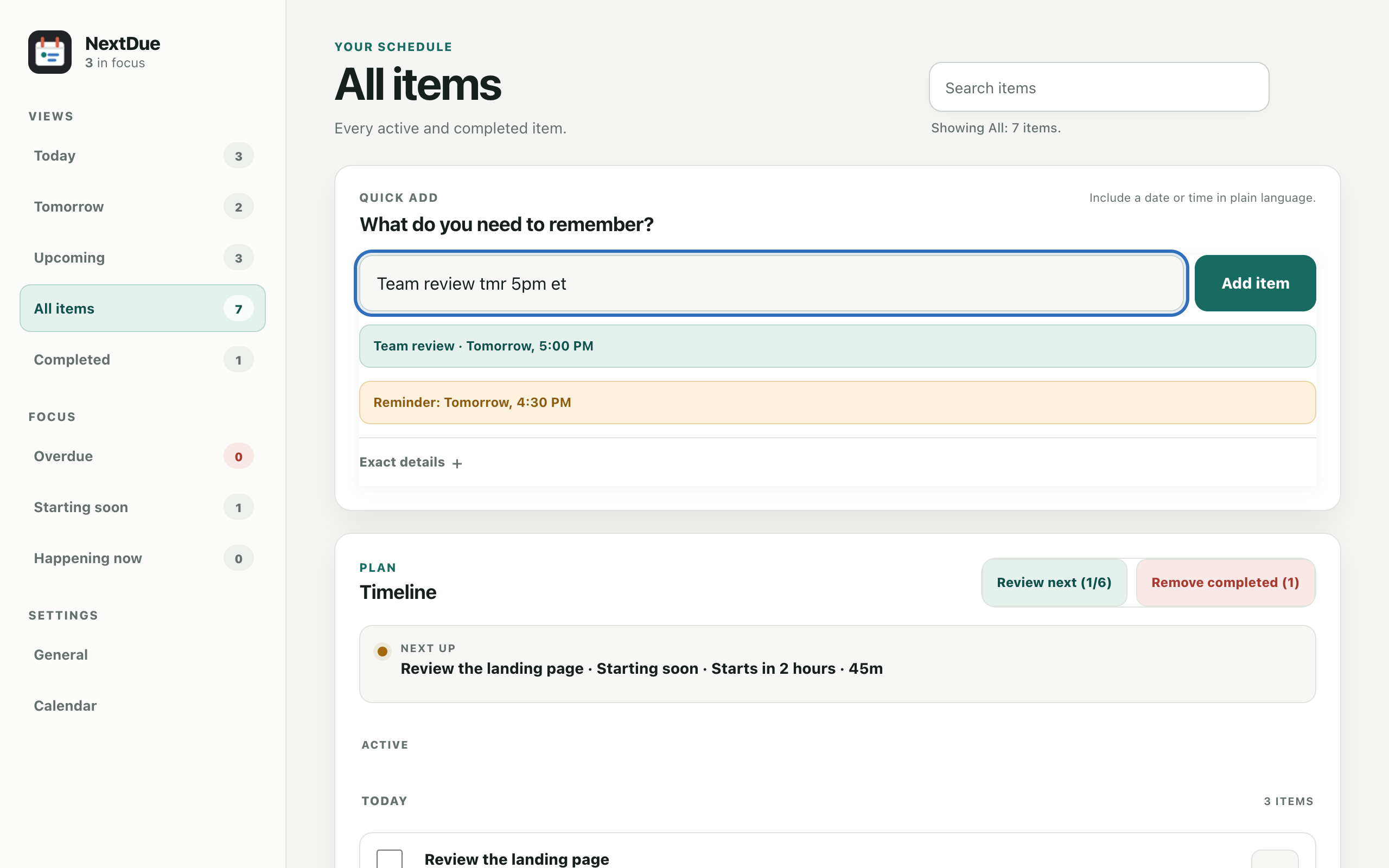
Chrome must be running for reminders. System banners follow your device’s notification settings.
OPTIONAL GOOGLE CALENDAR
Connect Google Calendar to see upcoming events from your selected calendars alongside your local work. Choose a writable calendar in Settings for new Schedules, including repeating schedules. Use an owned calendar or a shared calendar where you have write access.
Deadlines stay local. Existing Google events remain managed in Google Calendar. Additional NextDue alerts for Calendar events are off by default.
Read how Calendar data is usedTHOUGHTFUL BY DEFAULT
Your text is parsed locally. NextDue has no developer-operated server, advertising, or analytics. Local items stay in this Chrome profile; optional Calendar features exchange data directly with Google.
Read the privacy policy